Failure to submit annual reports
If you do not file your annual reports by the deadline, you receive warnings. If ignored, the system can move toward deletion of the entity.

Has your company been forced out of the Business Register? In many registrar-deletion cases, there is a 3-year legal window to apply for reinstatement. This guide explains how to restore a deleted company in Estonia and regain good standing.
The process usually means fixing the reason for deletion, updating the e-Business Register data, appointing a valid contact person where required, filing missing annual reports, digitally signing the application, and paying the state fee.
Quick answer: to restore a deleted company in Estonia, you generally need to apply through the e-Business Register, verify your authority and email, appoint a valid contact person where required, file missing annual reports if that caused the deletion, digitally sign the application, and pay the €200 state fee. Old-provider contracts, missing reports, VAT reactivation, and accounting cleanup are separate issues.
While your entity is deleted, business operations, contracts, bank access, asset handling, and registry actions may be limited or disrupted. If you do not restore the deleted company in Estonia within the applicable deadline, more serious liquidation or permanent-removal consequences may follow.
According to the Commercial Code of Estonia, a company deleted by the registrar, usually due to administrative deficiencies, can be reinstated in certain cases. The primary condition is that you must apply for reinstatement within 3 years of the deletion date.
To successfully restore a deleted company in Estonia, you must eliminate the specific deficiency that caused the removal. This is not just a formality; it is a legal procedure that updates the e-Business Register (RIK) with your correct data.
The Estonian Business Register uses administrative processes to keep the registry clean. Deletion typically occurs for two main reasons:
If you do not file your annual reports by the deadline, you receive warnings. If ignored, the system can move toward deletion of the entity.
For many e-Resident setups, having a licensed contact person is required. If your service provider cancels the contract and the company no longer has a required contact person, the company can become non-compliant.
The only way to reverse this is to restore the deleted company in Estonia by fixing the exact issues that caused deletion.
Below is the official technical workflow using the e-Business Register portal.
Log in to the portal using your e-Residency ID Card, Smart-ID, or Mobile-ID. Navigate to "My Desktop".
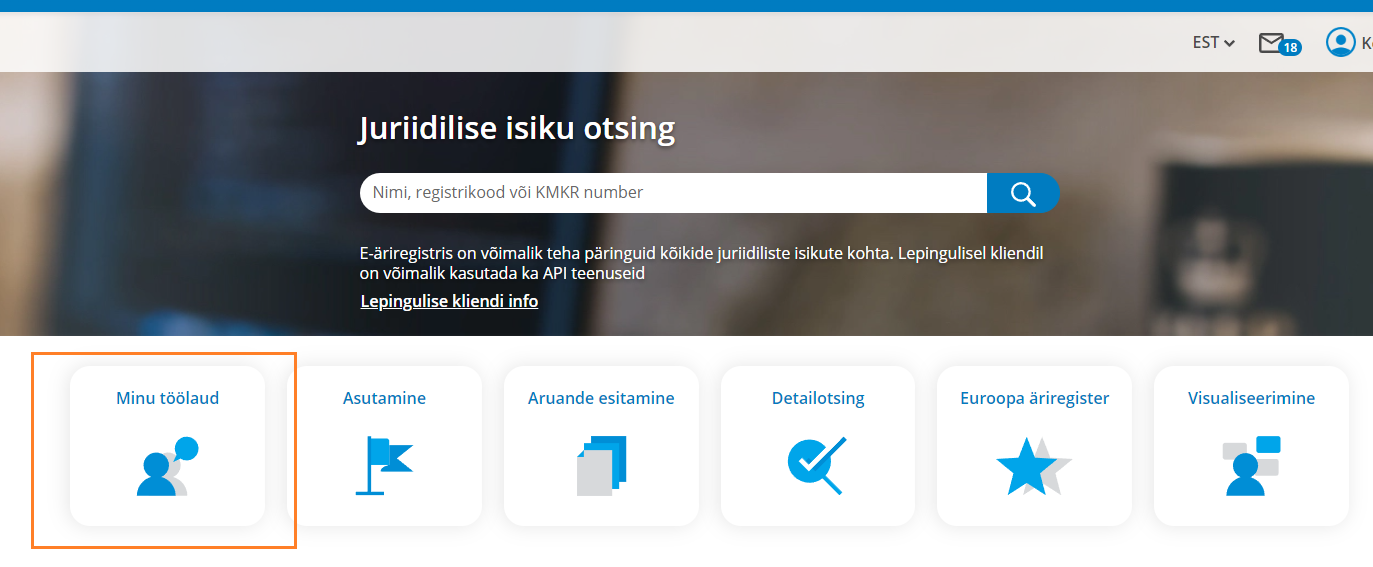
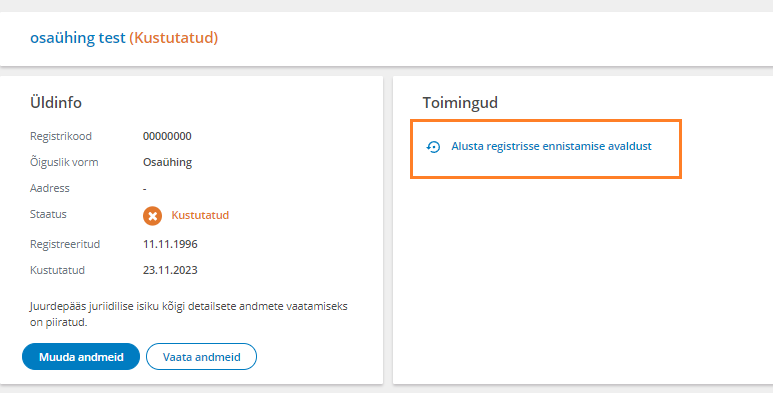
Scroll down to "Company Search". Enter your company name or registry code. Once found, click the link labeled "Start application for restoration to the register".
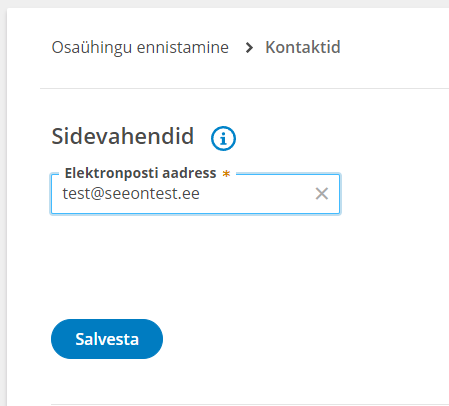
You will be asked to confirm that you have the authority as a board member to submit the application. Next, you must enter the company's official e-mail address. The system will send a verification link to this address immediately. You must click that link to verify the email before proceeding.
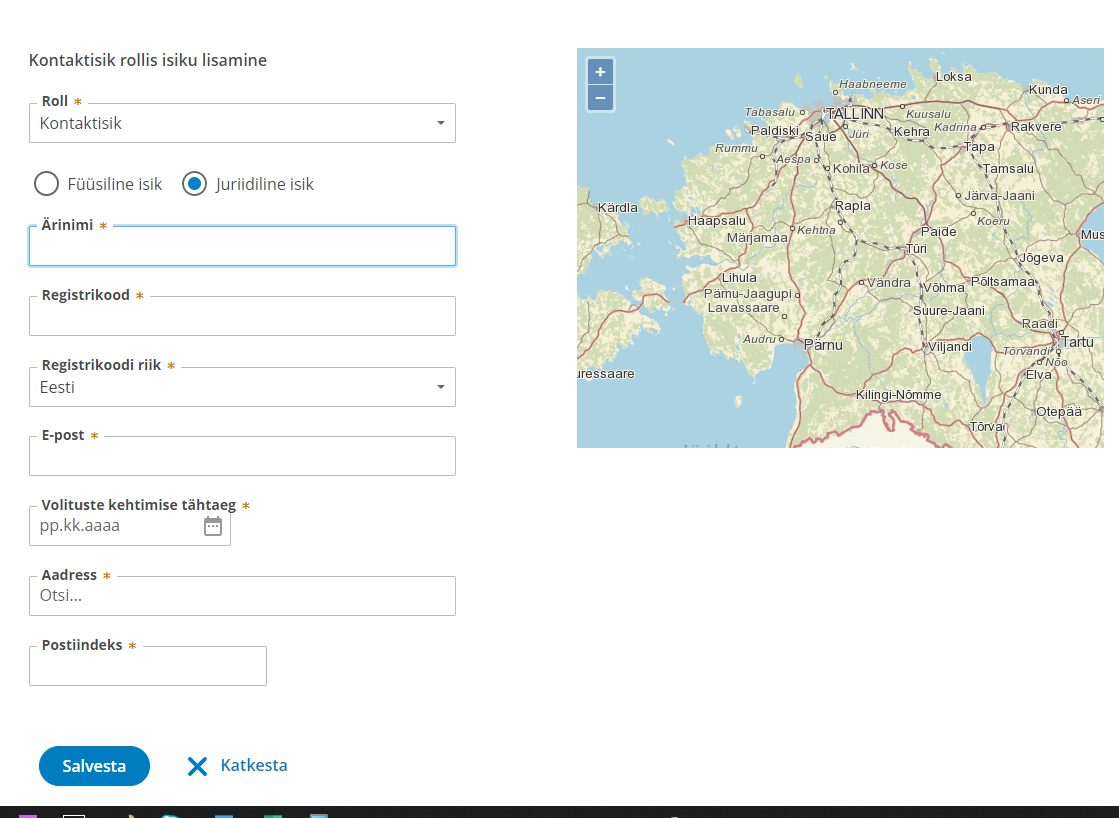
This is where many e-Residents get stuck. Navigate to the "Persons" tab. If your setup requires a contact person, you need a designated provider before the restoration application can move forward.
You cannot restore a deleted company in Estonia without an active legal address and contact person setup where the register requires it. The new provider must digitally sign their consent on the portal.
Dalanta OÜ is a licensed provider, FIU licence FIU000248. We can provide the legal address and contact-person details needed for the restoration workflow and sign the provider consent where applicable.
1. Upload Resolution: In the "Documents" tab, you must upload a formal "Resolution of the Body" or shareholders' decision. This document must state the shareholders' decision to apply for reinstatement.
2. File Missing Reports: If the deletion was caused by missing reports, a "Submit annual report" button will appear. This redirects you to the reporting environment.
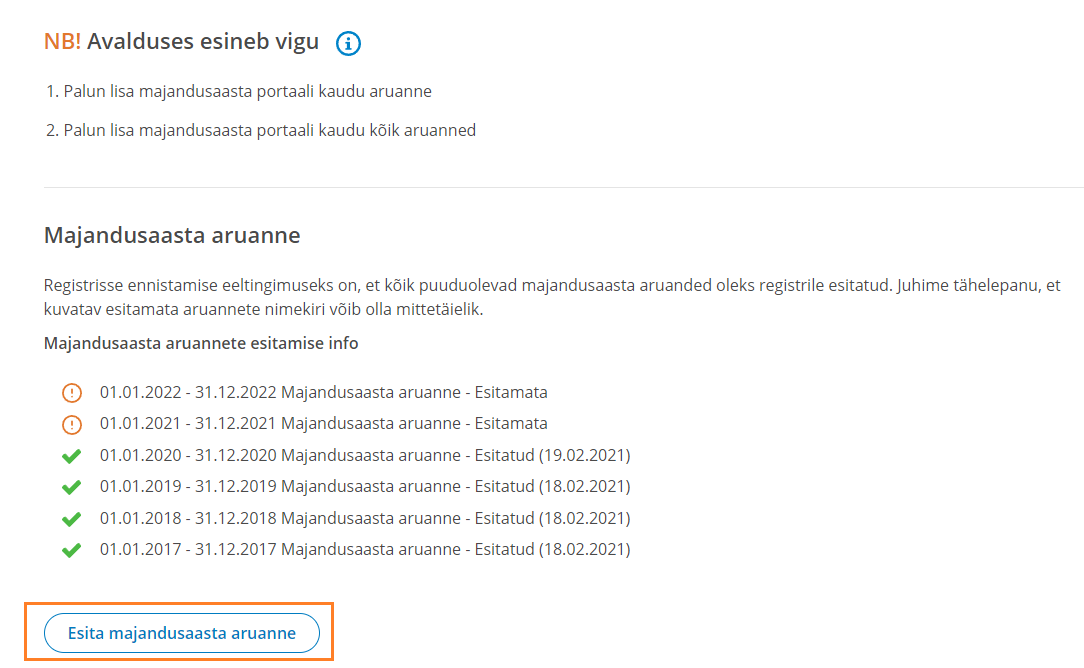
Note: You must file reports for every year that is missing, including years where the company was dormant or deleted.
Filing backdated XBRL reports can be complex. Dalanta can review the missing years and help prepare the annual reports needed to restore your deleted company in Estonia.
Once all data is correct and reports are filed, click "Sign". All required board members must sign using PIN2.
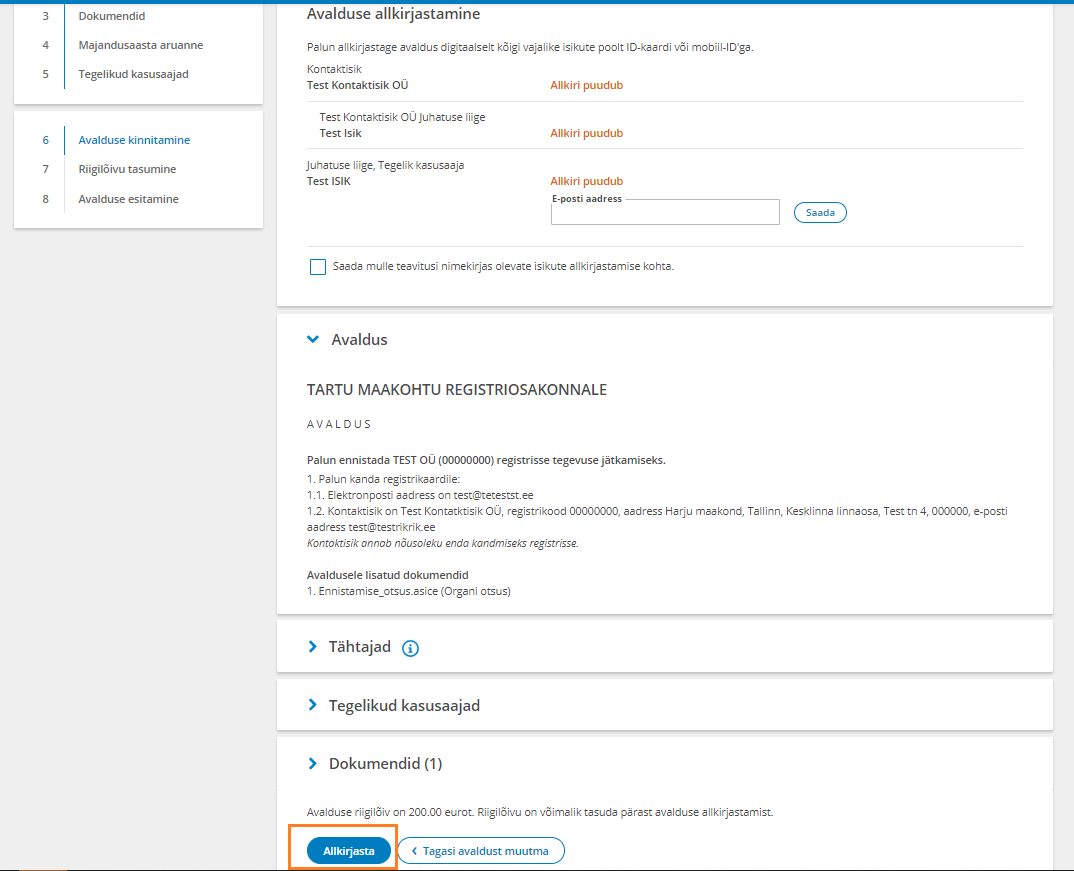
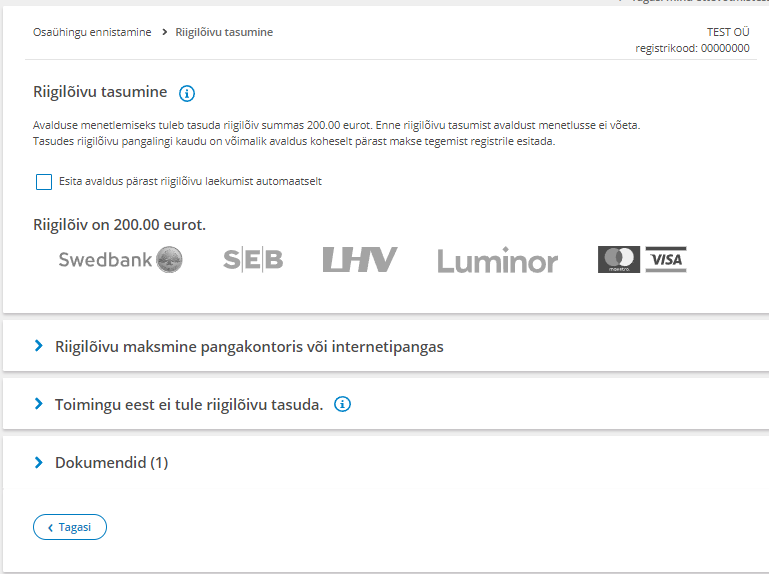
Finally, you must pay the €200 State Fee. This is paid directly to the Ministry of Finance via the bank link provided.
We believe in transparent pricing. Here is the breakdown of the main costs involved in the restoration process.
Mandatory fee paid directly to the government through the RIK portal.
One-year legal address and licensed contact person package for Estonian companies.
Secure your company for five years with an effective annual service rate of €109 + VAT.
| Cost item | Amount | Comment |
|---|---|---|
| State restoration fee | €200 | Paid directly through the register workflow. |
| Legal address + contact person | €124 + VAT / year | Needed where the restoration requires a valid provider setup. |
| Missing annual reports | Case-dependent | Depends on the number of missing years and bookkeeping complexity. |
No. When you restore a deleted company in Estonia, you only restore the registry code. If your VAT number was revoked, you must submit a separate application to the Tax and Customs Board (EMTA).
No. The Commercial Code strictly limits the reinstatement period to 3 years. After this time, the company is typically liquidated permanently.
Yes. If you provide us with a digital Power of Attorney, our specialists can draft the resolutions, file the missing annual reports, and manage the communication with the registry on your behalf.
The mandatory state fee is €200. You may also need contact person and legal address service, and accounting support for missing annual reports if those reports caused the deletion.
This page is general information for business owners and does not replace legal, tax, audit, or accounting advice tailored to your company.
The next step is to check the reason for deletion, confirm whether contact person service or missing annual reports are needed, and prepare the register application correctly.